Available on the Mac App Store

FloPix

Drag in a picture and make changes in one go.

Convert formats in batches, reduce file size, resize images, and add watermarks—all locally on your Mac. Bring repetitive image-processing steps into one clear, previewable workspace.

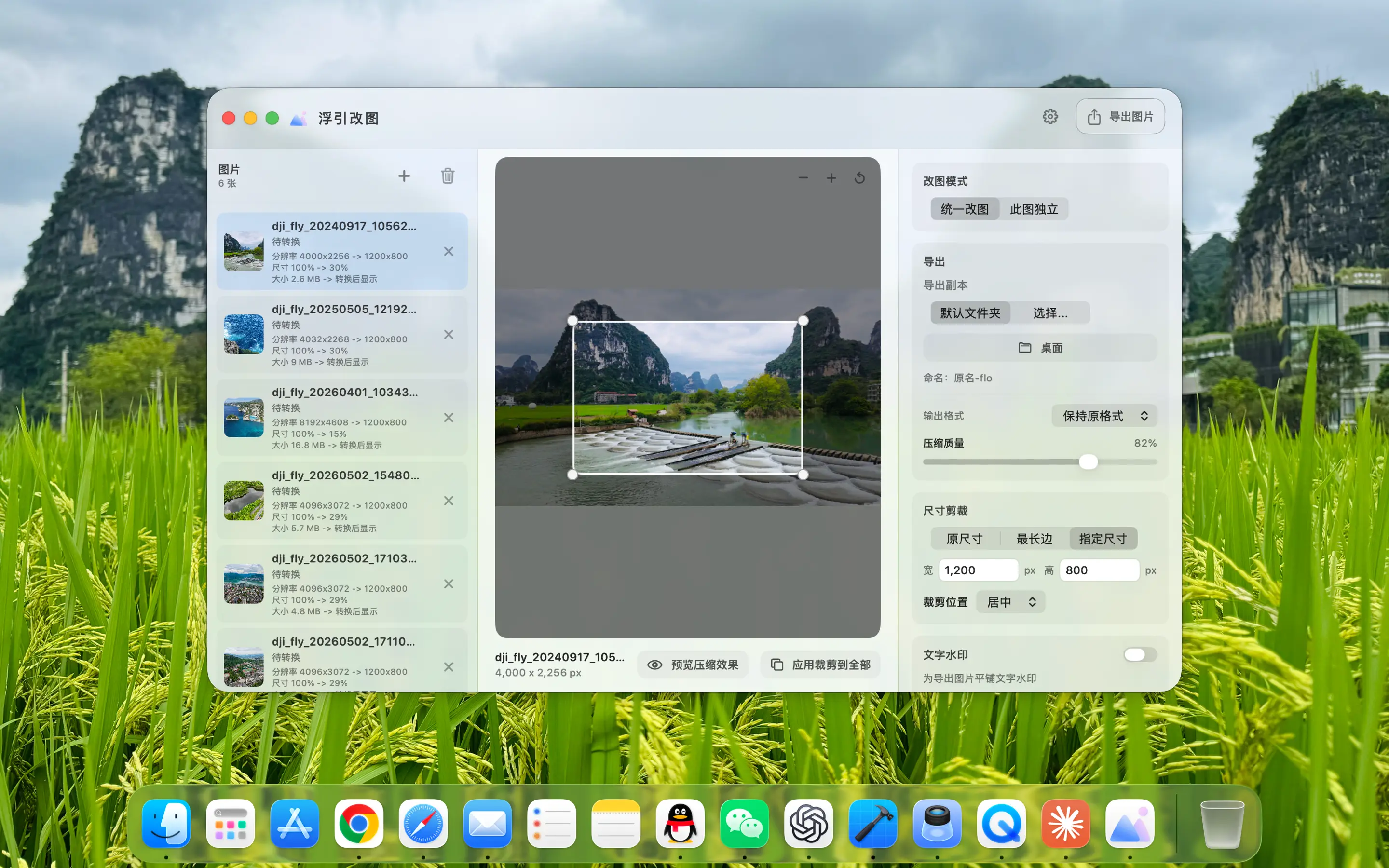
FloPix Workspace and cropping settings for batch processing of images
FloPix · Mac App
Drop, Configure, Export

One batch. One set of settings. Done in one pass.

No need to open the editor repeatedly for each image. Drag in files, set the output method uniformly, see the results clearly before exporting, and then put the processed pictures into the designated folder.

01
Batch Workspace

Drag in a batch of pictures, set them uniformly, and then export them together.

Drag the pictures that need to be processed directly into the workspace, view the files in a centralized manner on the left, and uniformly set the format, size, quality and output directory on the right. After the processing is completed, you can immediately view the results in Finder, without having to go back and forth one by one for repeated operations.
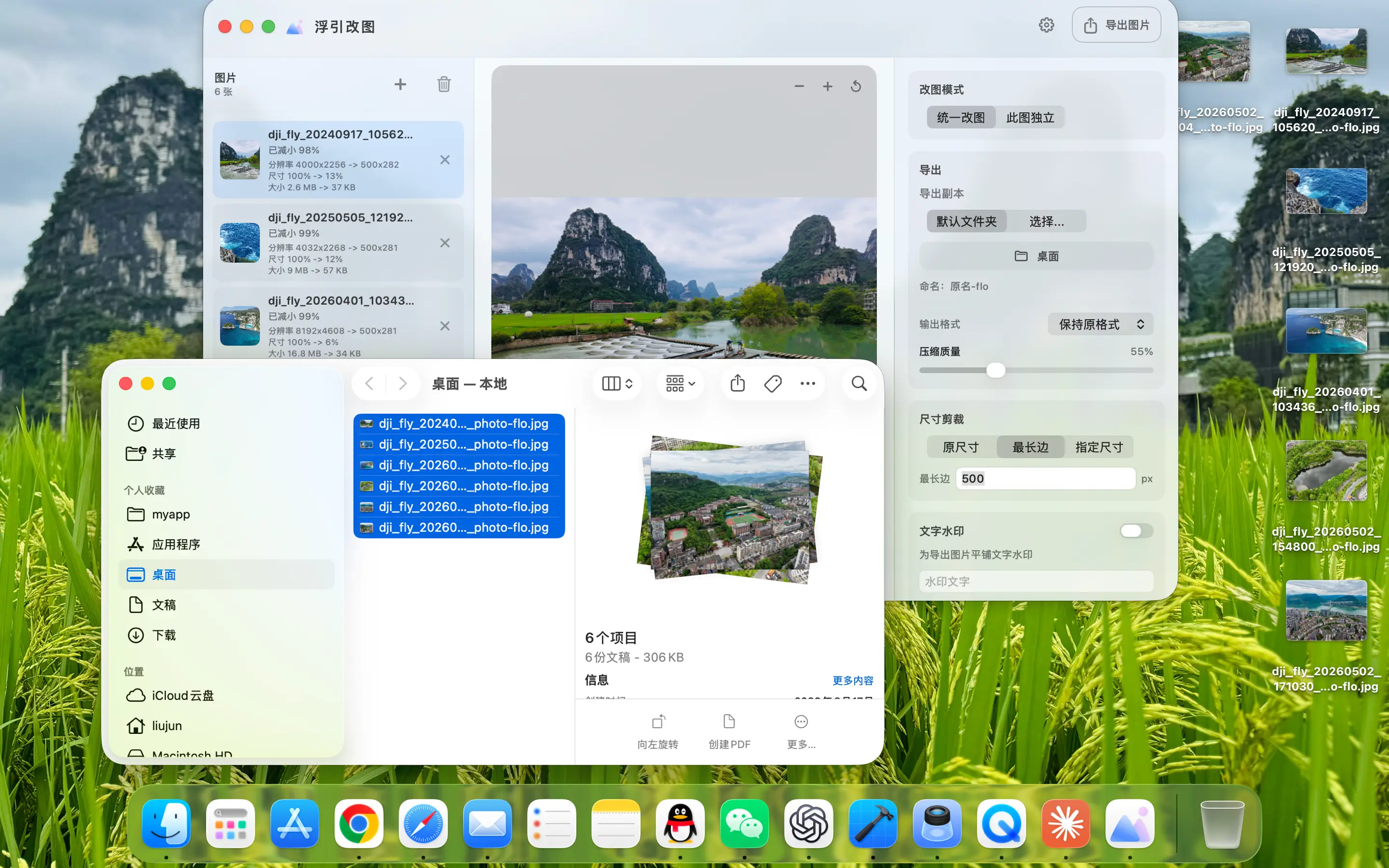
FloPix Completes a batch of image conversions and displays the results in Finder
From batch import to unified export, repeated operations are only done once.
02
Format & Quality

Format, quality and animation are all decided before exporting.

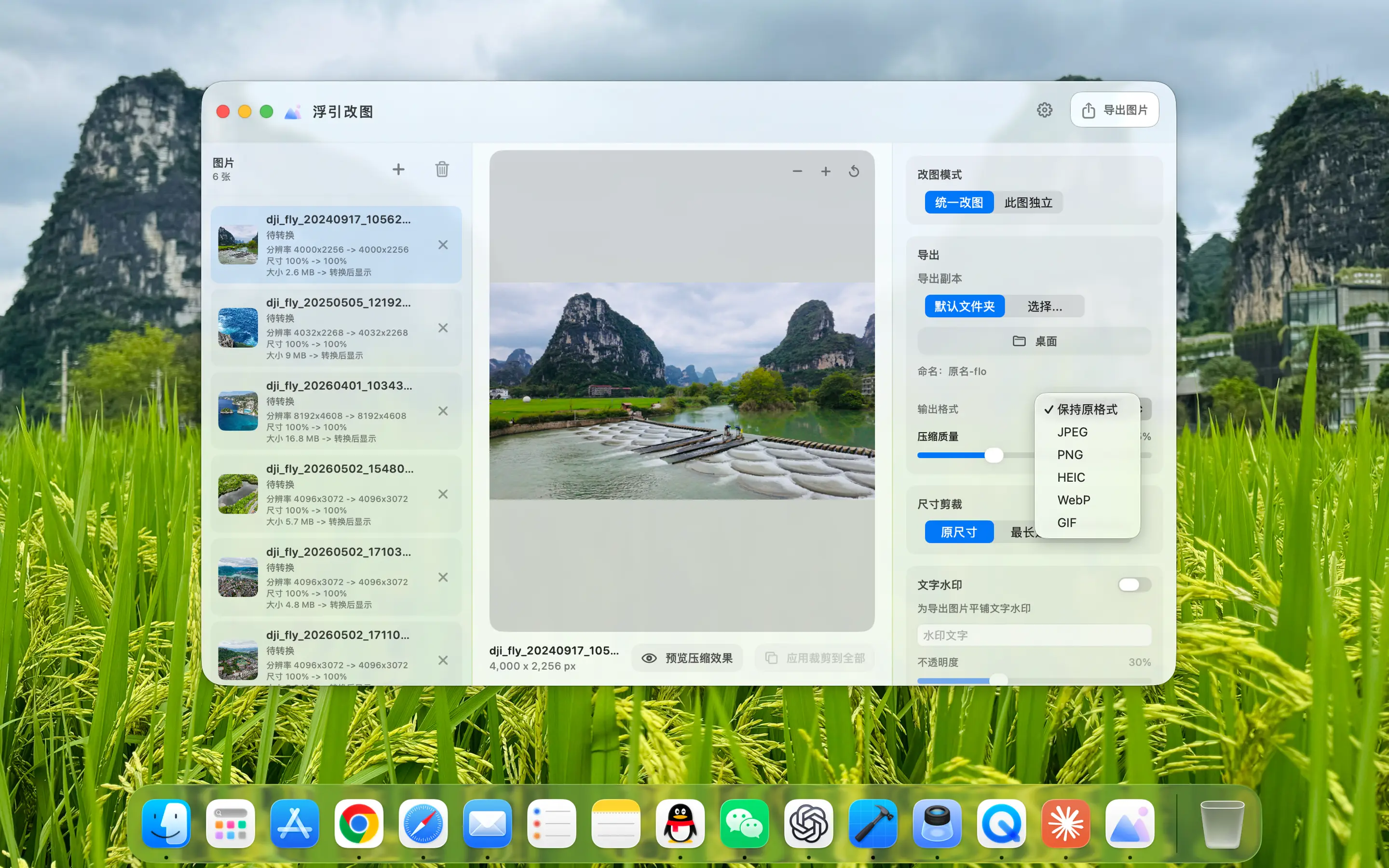
Output JPEG, PNG, HEIC, WebP or GIF and adjust picture quality by scene. When you need to create or process animations, you can also view the GIF frames, adjust the order and playback rhythm, and then output the final file in a unified manner.

FloPix Select JPEG, PNG, HEIC, WebP and GIF output formats
Commonly used formats are selected centrally, so you know what you will get before outputting.
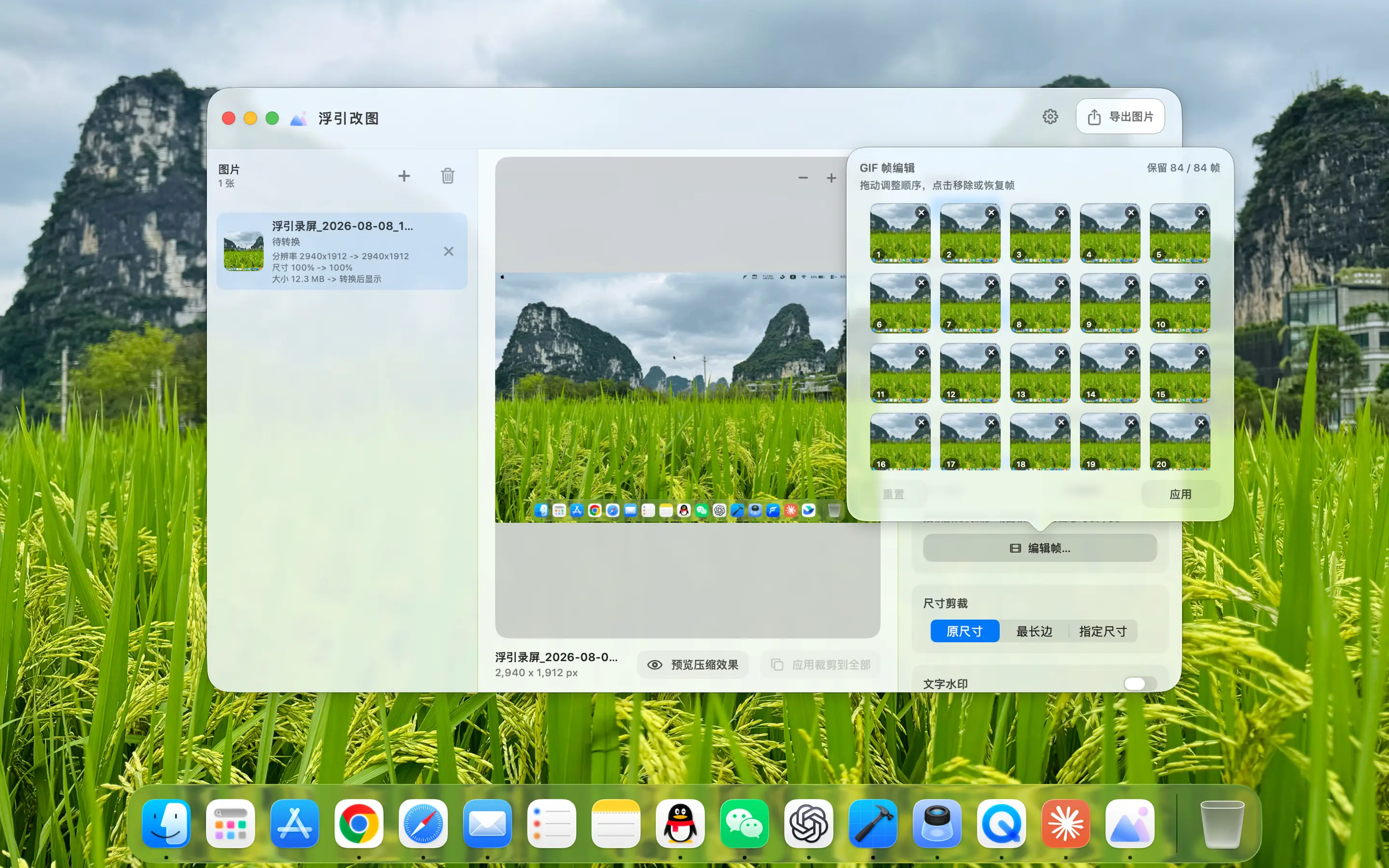
FloPix View and edit GIF frames
Animation frames can also be organized View each frame of the GIF, adjust the frame order and playback parameters before exporting.
03
Resize & Crop

Specifying the exact size also determines which part of the frame remains.

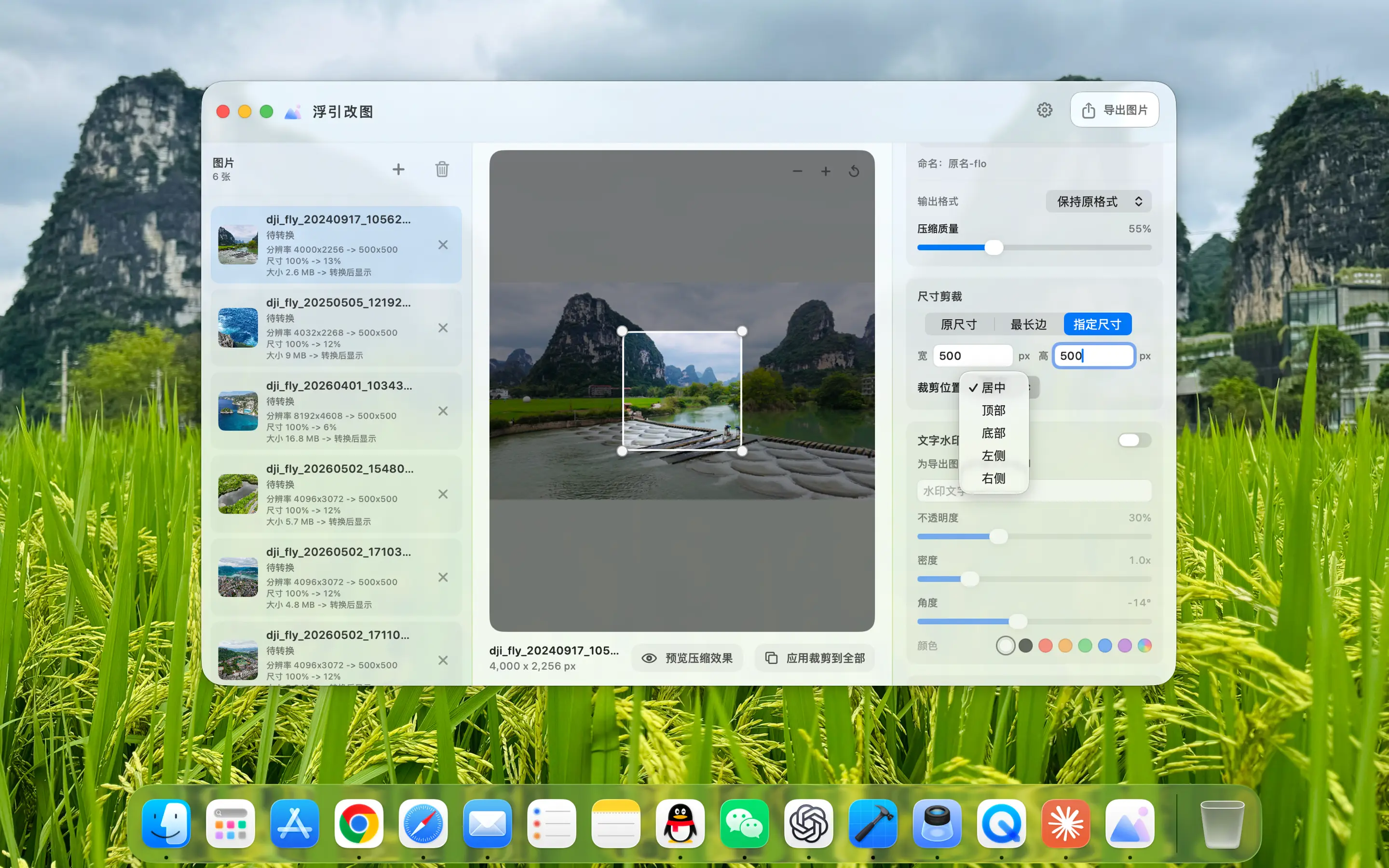
Output at original size, proportion or specified pixels, choose fit, fill or crop method. When encountering avatars, covers, and fixed-ratio materials, you can directly set the target size and cropping position to keep the entire batch of images consistent.

FloPix Set 512 × 512 exact size and nine-square grid cropping position
The size and cropping position are clearly visible, and batch output can maintain a unified composition.
04
Watermark & Signature

Add watermarks at once to keep the same expression across the entire batch of images.

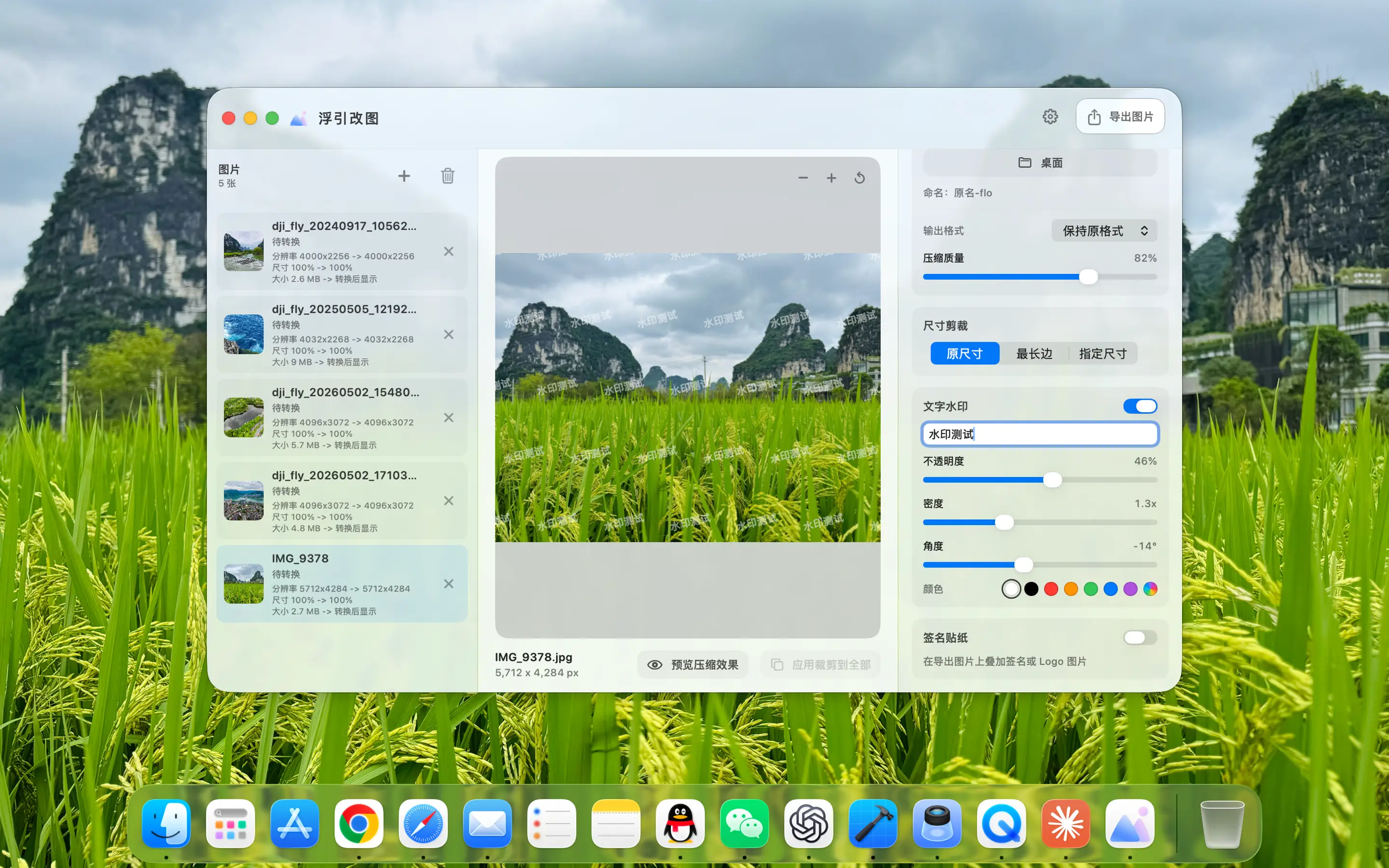
Add a text watermark and adjust the content, font, color, transparency and position; you can also use stickers or signature materials to add brand logo, copyright information or personal signature to the image. Set once and apply to the entire batch of output.

FloPix Add text watermarks to pictures in batches
Text content, style and position are set uniformly, and batches of images are consistent.
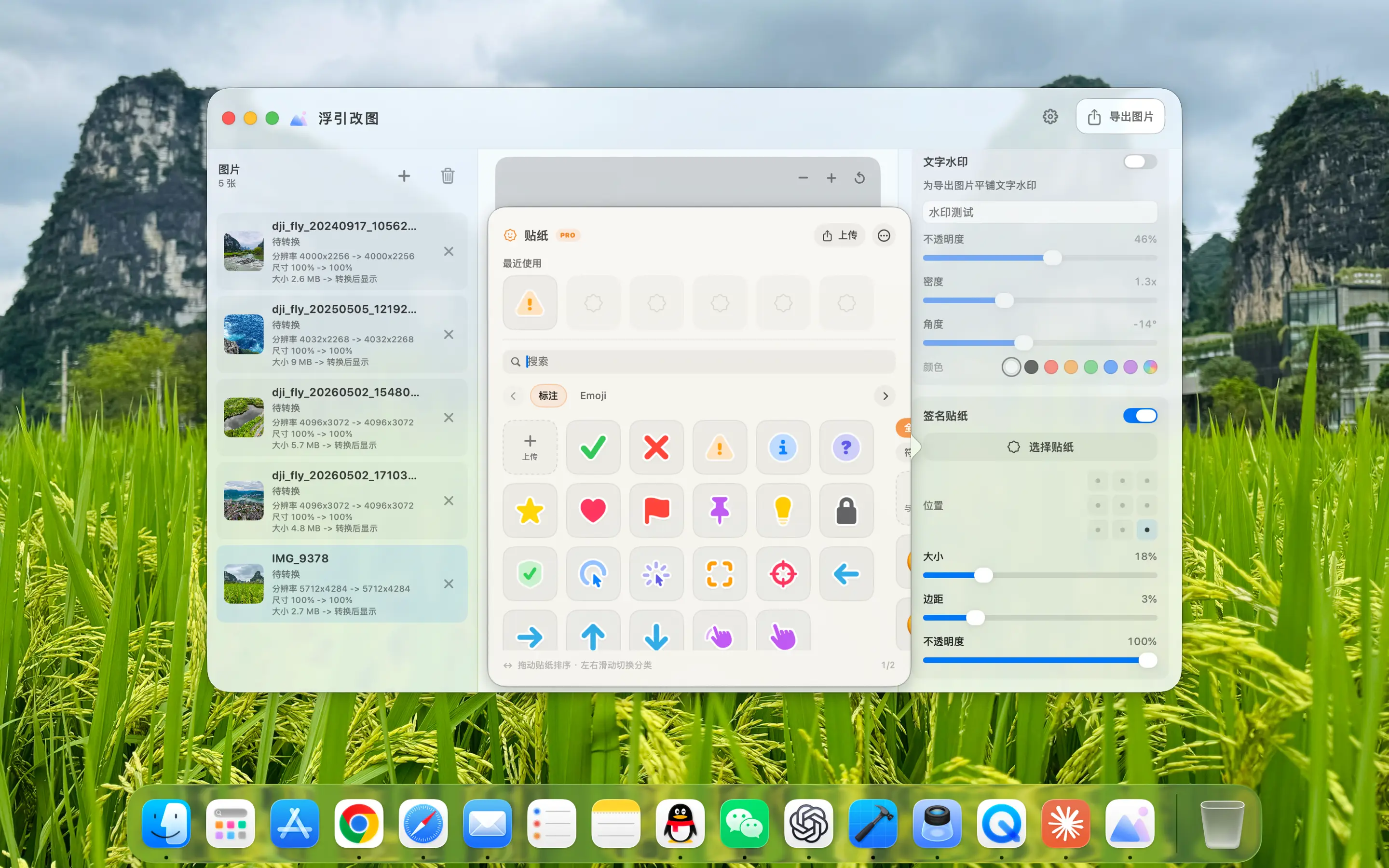
FloPix Use stickers or signature material as watermarks
Stickers, Icons & Signatures Import your own material, adjust the size and position and apply it to the entire batch of images.
01

All processed locally

The original image and processing results do not need to be uploaded to the server

02

True batch workflow

Parameters are set uniformly to reduce repeated operations one by one.

03

Complete format coverage

JPEG, PNG, HEIC, WebP and GIF

04

Controllable before exporting

Size, quality, cropping and watermark are clearly visible

Available on the Mac App Store

One batch. One set of settings. Done in one pass.

The current page language determines the storefront, and links open app details directly. Simplified Chinese uses mainland China, Traditional Chinese uses Taiwan, English uses the US, and other languages use their corresponding regions.

Will FloPix upload my original images?

No. Format conversion, compression, size cropping and watermark processing are all done locally on Mac, and the original images and output files are managed by yourself.

What output formats are supported?

The output formats displayed on the current page include JPEG, PNG, HEIC, WebP and GIF; different formats can be matched with corresponding image quality and animation settings.

How many pictures can be processed at one time?

FloPix Designed according to batch workflow, multiple pictures can be imported at one time and set uniformly. Actual processing speed and volume will be affected by image size, format, and Mac performance.

Which region does the App Store link open?

The current page language determines the storefront, and links open app details directly. Simplified Chinese uses mainland China, Traditional Chinese uses Taiwan, English uses the US, and other languages use their corresponding regions.

Contact me

Have a question or an idea to share? Message me directly through the WeChat official account.

  1. Scan with WeChat and follow

    Scan the QR code, follow 浮宇宙, and open the account.

Tap the bottom-left keyboard icon